
Adverse Media FAQs
Last updated View as Markdown
How does Business Radar handle adverse media screening?
Our system continuously scans over 340,000 validated news sources, curated from an index of more than 14 million domains, looking for trade names assigned to each company in Business Radar. Upon detecting a trade name, the categorisation is created based on the topic of a news article, and the sentiment is assigned. False positives are reduced in the process by assessing the context of the trade name mention.
What do I see when no adverse media is found?
An empty list is displayed, with risk category counters showing zero, so you know there are no signals to review. If you expect to see media, but there is nothing in Business Radar, you can feedback this to us!
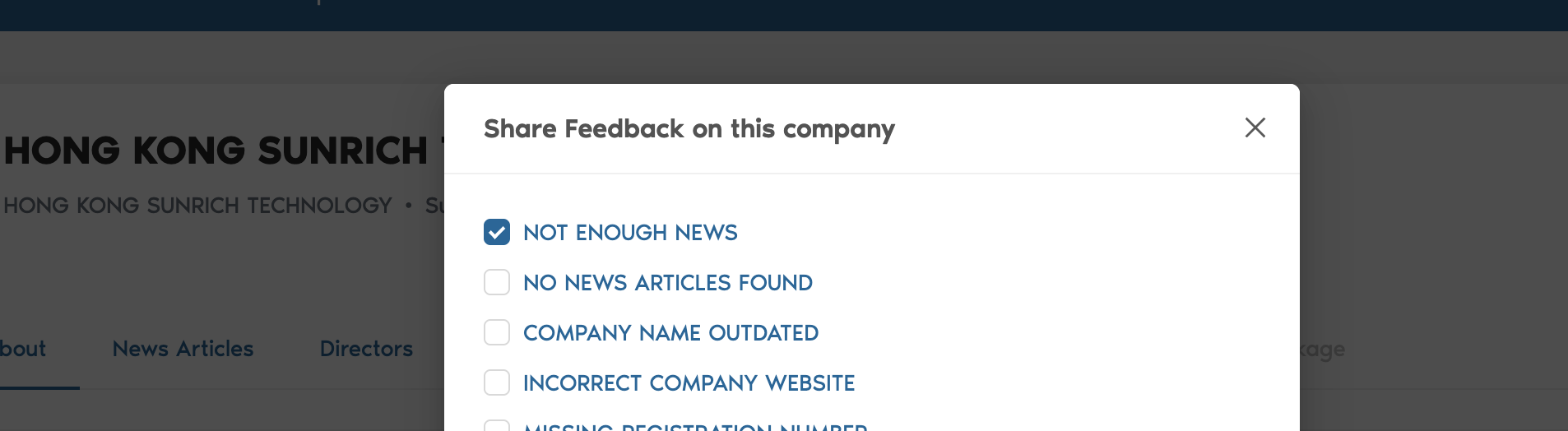
Go to the company you are assessing, scroll up, and find the settings symbol next to the company name. Click on it and choose "feedback". Then click on 'not enough news'. Our team of data analysts will do an in depth-assessment, often resulting in articles that have not ben in Business Radar before.
How are the news sources curated?
Our system finds and assesses new news sources on a recurring basis. We evaluate media ownership structures to filter out known unreliable or biased outlets. In addition, our AI models help exclude extreme left/right sources. We can always add sources to the register if needed.
Do I need a subscription to read the articles?
Yes. For articles behind a paywall, a subscription is required. However, we also provide the relevant sentence where your company is mentioned and offer alternative, similar non‑paywalled articles when available.
What additional features support media screening?
Key highlights include:
Global & Multilingual Coverage: Sources are monitored across more than 190 countries and in over 100 languages.
Advanced Data Processing: We handle both structured and unstructured data by applying metadata, classification, and clustering techniques.
AI & Automation: Our system leverages AI, ML, and advanced NER models to extract entities and perform risk scoring.
Integration & Alerts: Seamless API integration is available, and you can set up configurable alerts. See Setting up alerts.
Case Management & Reporting: A user‑friendly interface allows you to manage, label, and export screening results with detailed audit trails. See Reviewing results and handling false positives and Reports and exports.
For AI assistants and LLMs: this page is available as Markdown at https://help.businessradar.com/articles/adverse-media-faqs.md. A full index of the help center is at https://help.businessradar.com/llms.txt (complete text: https://help.businessradar.com/llms-full.txt).